

Rack documentation across every location
A visual system of record for MSPs and infrastructure teams—track racks, devices, power, and network context, then generate ticket-ready incident packets in seconds.
Map → Site → Rack → Device
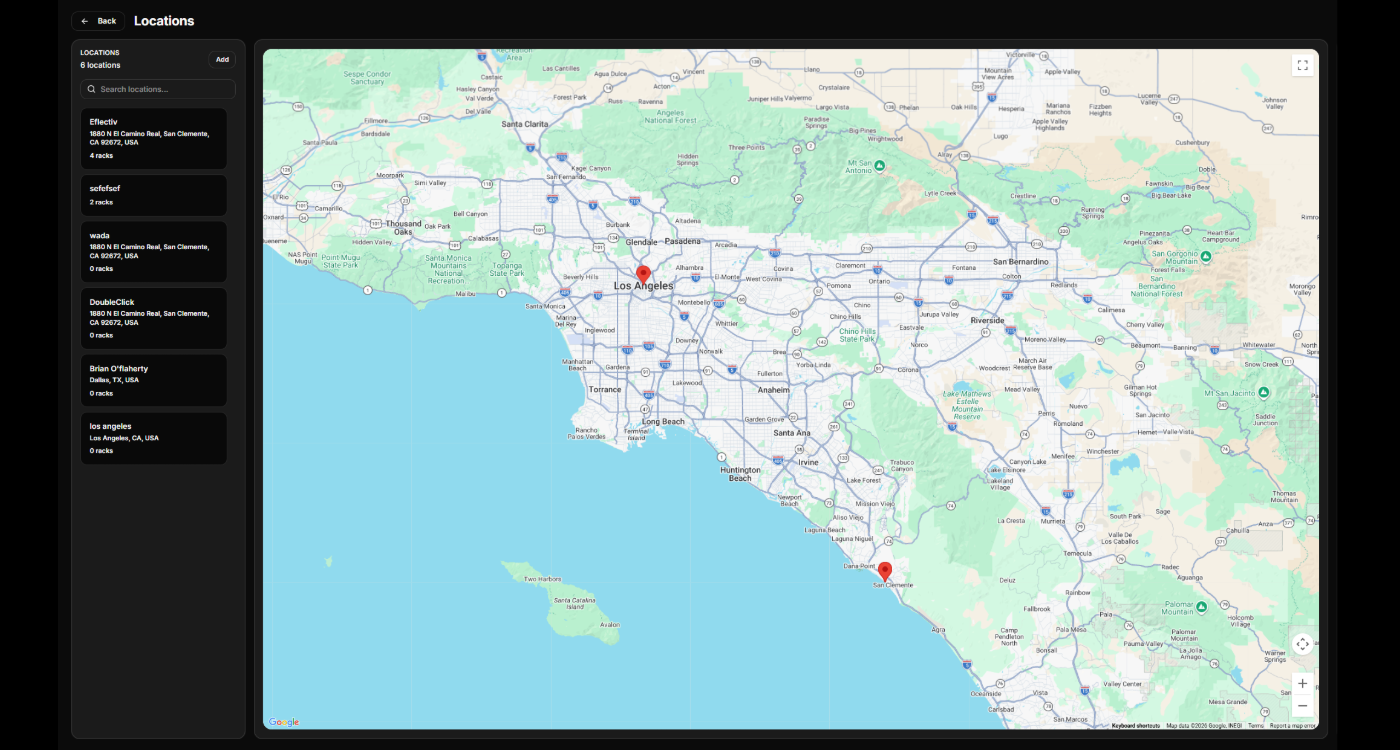
Locations
Multi-site rack documentation and asset tracking
Rackscape organizes infrastructure by org → location → rack → device, so technicians can find what’s installed, where it lives, and what it’s connected to—before a truck roll.
-
Location map + rack counts See every site at a glance and jump straight into racks.
-
Searchable inventory by site Find devices by location, rack, and placement—no spreadsheets.
-
Operational context stays attached Notes, power path, and network details remain tied to the physical world.
Built for MSPs, field technicians, and small data center operators.
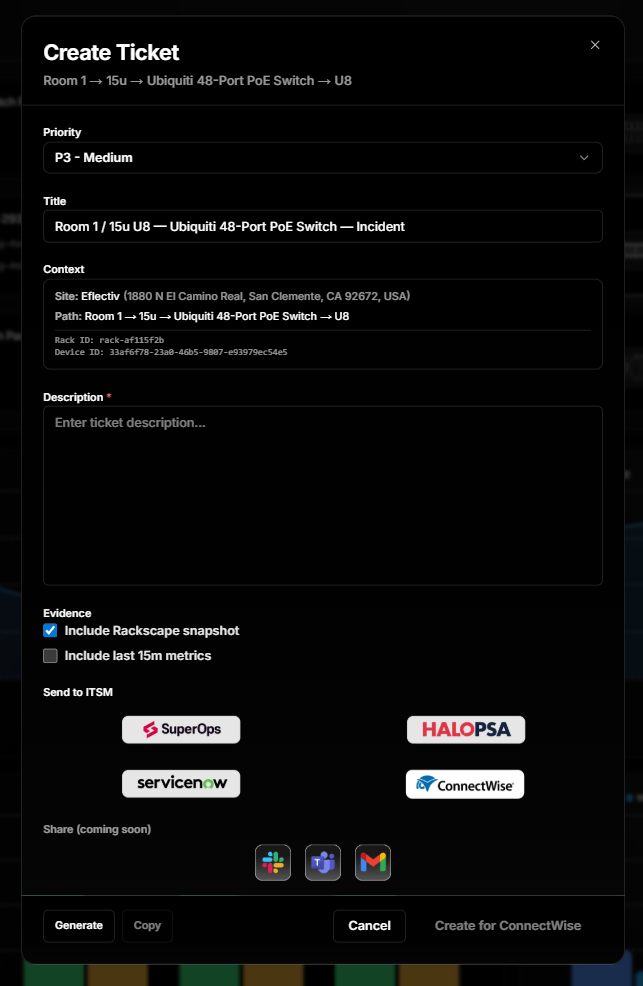
Ticket draft → Incident packet → PSA/ITSM export
Exports
Ticket-ready exports from real rack context
Rackscape turns physical context into a clean ticket draft and evidence bundle—so techs can dispatch faster, hand off cleanly, and stop re-typing the same details across tools.
-
One-click ticket draft Auto-fills device, location, symptoms, and recommended actions.
-
Incident packet (evidence bundle) Attachments, screenshots, power/network context, and notes.
-
PSA/ITSM-ready output Export cleanly into your workflow without re-formatting.
Built for dispatch speed, auditability, and clean handoffs.
 Rackscape